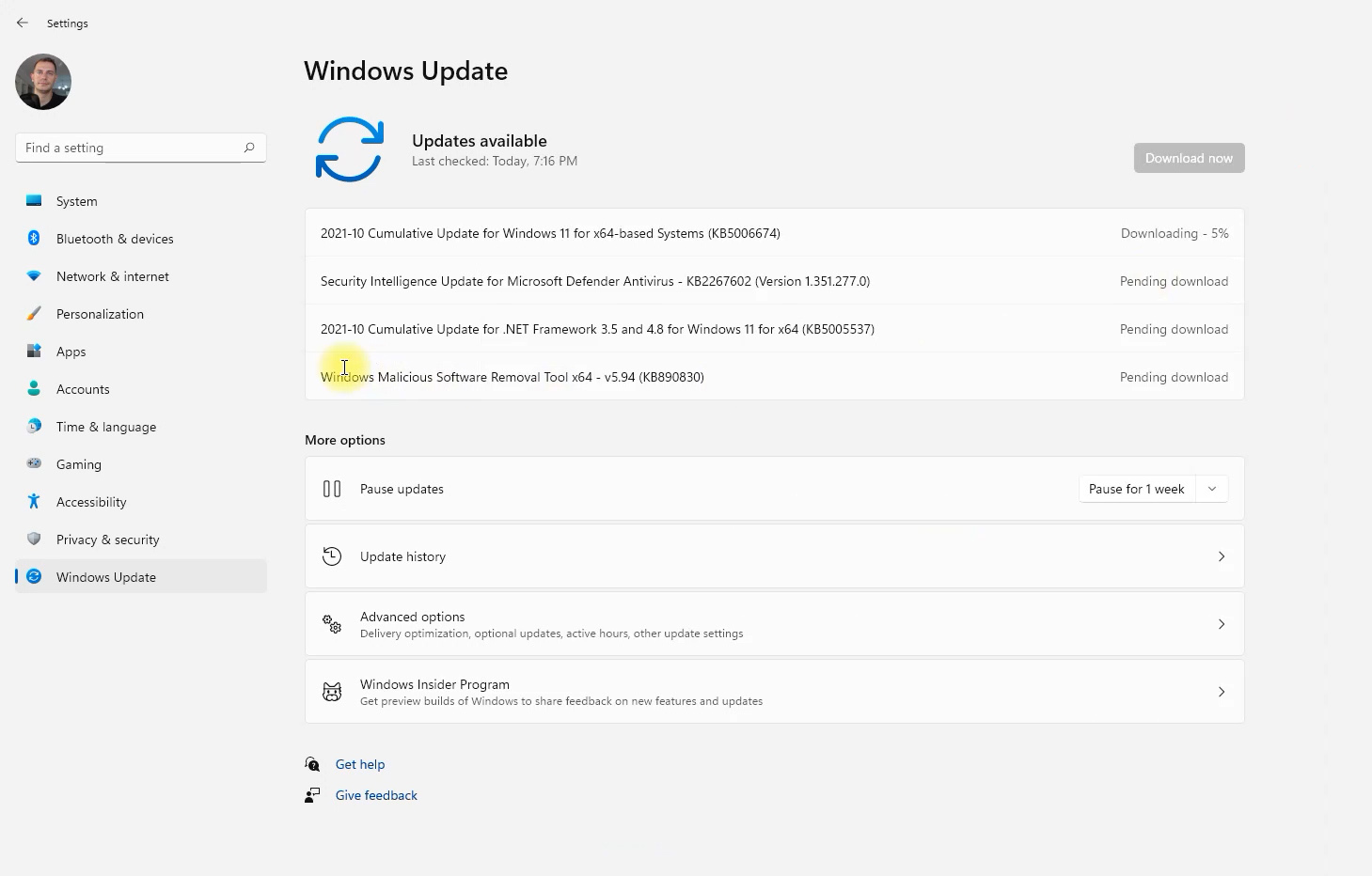
Microsoft has released the Windows 11 KB5006674 cumulative update. It is the first update for the new operating system since Windows 11 was released to the public on October 5, 2021, and it brings Windows 11 to build 22000.258. It contains security updates, performance improvements and bug fixes for Windows 11 version 21H2. In the video, I install it on an unsupported PC, and it works.
Update (October 2026): This post is about an October 2021 update for the original release of Windows 11 (version 21H2). Windows 11 21H2 Home and Pro stopped receiving updates on October 10, 2023. If your PC still runs this version, upgrade to a supported version. See How to Install Windows 11 26H2 on Unsupported PC.
In this article
Highlights
- Updates security for your Windows operating system.
Improvements and fixes
This security update includes quality improvements. The key change, in Microsoft’s words:
Addresses known compatibility issues between some Intel “Killer” and “SmartByte” networking software and Windows 11 (original release). Devices with the affected software might drop User Datagram Protocol (UDP) packets under certain conditions. This creates performance and other issues for protocols based on UDP. For example, some websites might load slower than others on the affected devices, which might cause videos to stream slower in certain resolutions. VPN solutions based on UDP might also be slower.
If you installed earlier updates, only the new fixes contained in this package will be downloaded and installed on your device.
This is the “big change” in this update: if your PC uses Intel Killer or SmartByte networking software, some websites, videos and VPN connections could be slow before this fix. That is why I recommend installing it as soon as possible.
Does the update work on unsupported PCs?
Yes. The first Windows 11 security cumulative update, build 22000.258, installed without problems on my unsupported PC. This is how I installed Windows 11 on that PC:
👉 How to Install Windows 11 on Unsupported PC (Updates Works 100%): https://youtu.be/qswIMbzyLQw
How to install KB5006674
The update is offered in Settings > Windows Update. If you don’t see it, you can download it manually from the Microsoft Update Catalog. Click Download next to the version for your PC (x64 or ARM64), then double-click the downloaded .msu file to install it.
👉 Download Manual Updates Here:
https://www.catalog.update.microsoft.com/Search.aspx?q=KB5006674
Other tutorials
- 👉 How to Upgrade Windows 10 to Windows 11 for Free (New Installer Assistant): https://youtu.be/GZEvScgcjSY
- 👉 How to Clean Install Windows 11 from USB (Media Creation Tool): https://youtu.be/9V3x1Hk291I
- 👉 Do Updates Work on Windows 11 Unsupported PCs? https://youtu.be/i8alb5JaVcc
- 👉 How to Install Windows 11 on Unsupported PC (Released Version October 5): read the guide
If you need it, download PC Health Check here: https://staging.tips2fix.com/download-pc-health-check-windows-11-2021