Update (October 2026): This article is from June 2021, before Windows 11 came out. Microsoft released Windows 11 officially on October 5, 2021. The leaked build 21996.1 was an early test version: it gets no updates, and you should not use it on your main PC. The old download mirrors of the leaked ISO no longer work. To install Windows 11 today, download the official ISO from Microsoft. If your PC is not supported, follow my latest guide: how to install Windows 11 26H2 on an unsupported PC.
Download the official Windows 11 ISO
In this article
Windows 11 build 21996.1 leaked before the launch
Microsoft announced Windows 11 at its online event on June 24, 2021, at 11 am ET, as the official Windows Twitter account had confirmed. A few days before the Microsoft Event 2021, the first Windows 11 developer build leaked online: build 21996.1. We first saw it in a hands-on article by XDA Developers.
The leaked ISO file was 4.54 GB. Some people installed it directly on their PC. Others said you needed a virtual machine. In VirtualBox, choosing Windows 10 (64-bit) as the version was enough to install it in a virtual machine without touching the real system. Remember that this build was a developer preview, not a version for daily use.
What the Windows 11 developer preview looked like
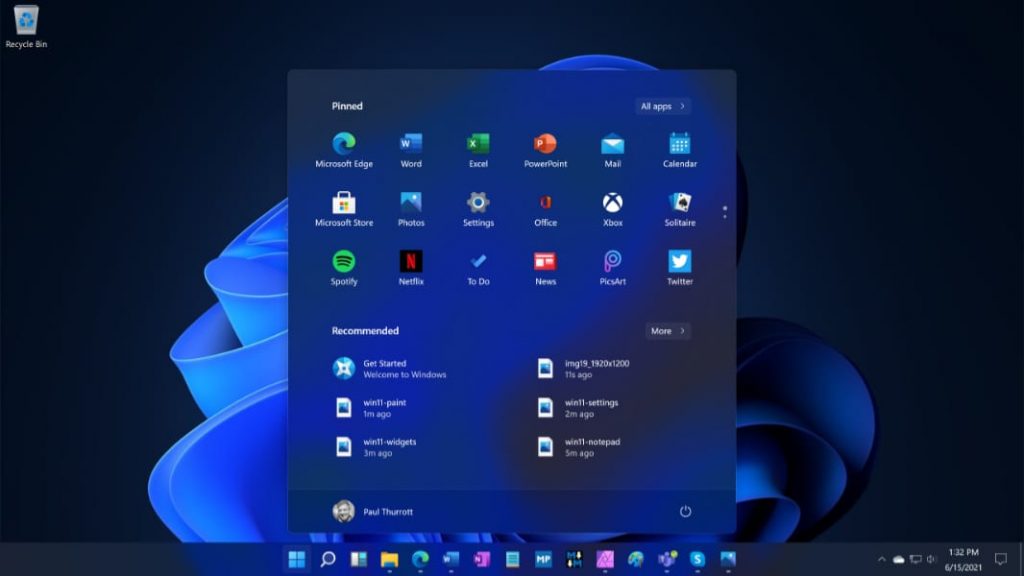
Here are some screenshots of the leaked build 21996.1:
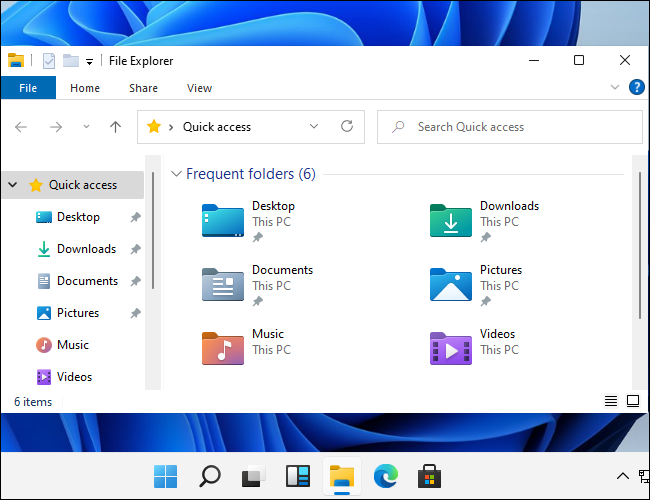
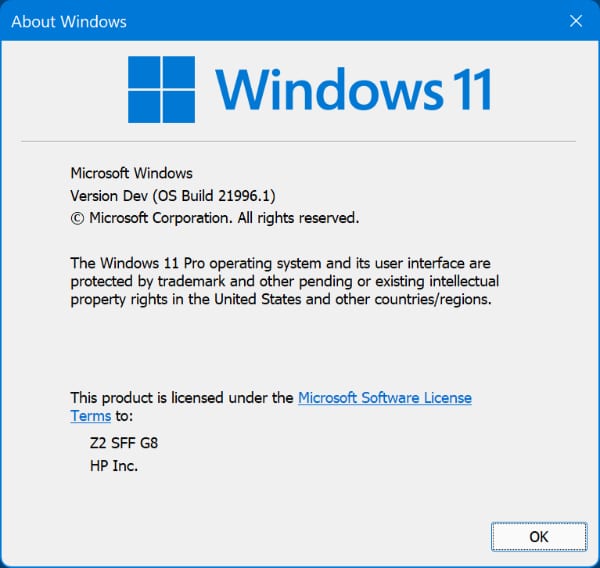
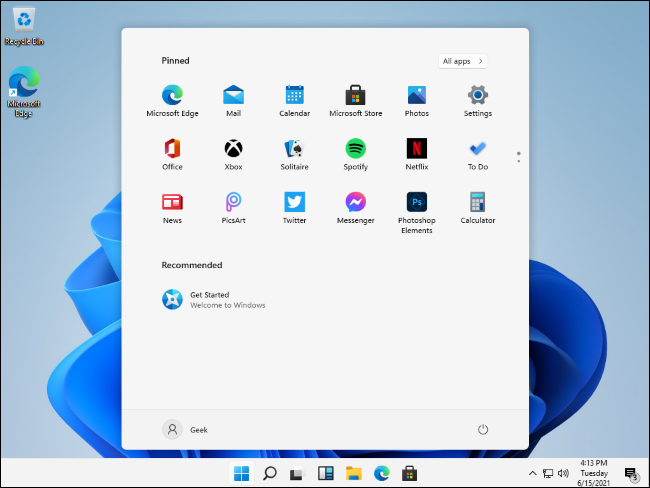
As you can see, Windows 11 has a completely new interface and is a big change from Windows 10:
- A new boot logo, based on the new Windows logo.
- The usual white theme now has a light blue touch, and there are several new built-in themes.
- The taskbar icons, including the Start button, now sit in the middle of the screen.
Windows 11 system requirements
When the build leaked, early reports listed much lower requirements, such as 2 GB of RAM and a 32-bit processor. Those numbers were not official, and Windows 11 is 64-bit only. These are the official minimum requirements from Microsoft’s Windows 11 specifications page:
- Processor: 1 GHz or faster with 2 or more cores, on a compatible 64-bit processor or System on a Chip (SoC)
- RAM: 4 GB
- Storage: 64 GB or larger
- System firmware: UEFI, Secure Boot capable
- TPM: Trusted Platform Module (TPM) version 2.0
- Graphics card: compatible with DirectX 12 or later, with a WDDM 2.0 driver
- Display: HD (720p), larger than 9 inches diagonally, 8 bits per color channel
Since version 24H2, Windows 11 also needs a processor with the SSE4.2 and POPCNT instructions. If your CPU is too old, read how to run Windows 11 on older PCs without SSE4.2 and POPCNT.
Download Windows 11 ISO
In 2021 the leaked ISO was shared on Google Drive and AndroidFileHost. All of those mirrors have been deleted, so I removed the dead links. For reference, these were the details of the leaked file:
| OS | Windows 11 ISO |
| Version | Build 21996.1 (64-bit version) |
| Last updated | June 16, 2021 |
| File size | 4.54 GB |
| Developer | Microsoft |
Today, use the official Windows 11 ISO from Microsoft (button at the top of this post). To create a bootable USB stick from an ISO file, use Rufus:
- Official Rufus website: https://rufus.ie/en_US/
- Rufus mirror on Uptodown: Rufus download on Uptodown